Consulting Toolbox

How Consulting Decks Differ from AI-Generated Decks (and How to Use AI Well)

Updated: Jul 1, 2026
How Consulting Decks Differ from AI-Generated Decks (and How to Use AI Well)
DISCLAIMER OF AFFILIATION: Slideworks is an independent entity and is not affiliated or endorsed by, or in any way officially connected with BCG, McKinsey or Bain. All references to these companies are for informational or comparative purposes only and does not imply any association with or endorsement by the aforementioned companies.

Key takeways

  • AI-generated decks differ from consulting decks in seven ways: generic output, no strategic thinking, no storyline iteration, overfilled slides, hallucinated numbers, fluffy writing, and missed layout details.
     
  • A great presentation follows six steps: define the audience and outcome, structure the storyline, draft slides, fill in content, edit ruthlessly, and check the small things.
     
  • Most AI tools collapse steps 2–4 into one prompt, which removes the critical thinking and often costs as much clean-up time as building from scratch.
     
  • Use AI as a directed analyst or first-year consultant: keep steps 1, 2, and 5 (audience, storyline, editing) yourself and delegate steps 3, 4, and 6 (drafting, layout, hygiene). That's how AI can 5–10x productivity without losing quality.

AI tools have exploded onto the scene and there are now a dime-a-dozen that can generate presentations on any topic in seconds. The tools have evolved quickly and many of them are genuinely impressive and useful for a first scaffold (see my own test of some tools in our previous article).

But a deck that looks finished is not the same as a deck that is precise, outcome-driven, and built around a story that holds together. The gap between an AI-generated deck and a top-tier consulting deck is consistent and predictable, and once you can name it, you can fix it in your own work.

In this article, we’ll first go over what an AI-generated deck is and why it falls short of consulting-grade decks. Second, perhaps more useful, we’ll show you how to actually use AI well when creating presentations so you can create McKinsey-level decks faster and better. And a caveat throughout; our focus is on consulting-type presentations (think data-heavy, structured, report-like) and how to make these match the level you’d expect from top-tier consultants.

What is an AI-generated deck?

An AI-generated deck is a presentation produced by a large language model from a short prompt with or without a data dump, where the tool drafts the structure, the slide text, and often the layout in one pass. The model predicts the most likely next words based on the thousands or millions of presentations it was trained on.

That prediction mechanism is the root of every issue below. A model optimizes for the statistical average of its training data, so its default output is, by construction, a generic version of a deck and generated anew every time.

This is worth stating plainly because it reframes the problem. The weakness of an AI deck is not a bug to be patched in the next release; it is a direct consequence of how the tool works. Knowing that tells you exactly where your own judgment and process has to take over.


Seven ways AI-generated decks differ from real consulting decks

After testing a bunch of AI slide generators and researching what our peers have tested, we’ve found seven main ways that AI-generated decks differ from human-made top-tier consulting decks from the likes of BCG, Bain, and McKinsey.

1. AI optimizes for the average, so it produces the generic: 

An AI model generates the most statistically likely content, which is by definition the most generic. This means a lot of the output can feel cookie cutter and lack the small, but crucial layout changes that suit your particular situation.
 

2. AI skips the strategic thinking and jumps straight to slides:

AI tools tend to just jump right into slide creation, without considering the wider strategic picture. In a consulting project, you’d do it the other way around, starting with a day-one-answer and hypothesis, building slides and filling in data to prove or disprove that, and finally rejigging everything to be executive-ready.
 

3. AI doesn’t iterate on storylines: 

AI decks can suffer from “sudden jumps in logic” or “three slides that essentially say the same thing in slightly different words,” because the model lacks slide-to-slide continuity and overall storyline rigor. In a consulting deck, each slide’s action title links to the next, so the titles alone read as one continuous argument. 

In addition, the job of a consultant is to prune and rebuild the storyline over and over so it continues to build toward the desired outcome in the best possible way as new data is analyzed, the deck is pressure-tested with key stakeholders, and the arguments are practiced out loud to gauge continuity and impact. AI-generated decks tend to add more slides, not systematically prune, test, and redo. 
 

4. AI overfills slides:

Text overload and general visual clutter is the most visible sign of an unedited AI deck, because the model defaults to thoroughness and packs each slide with bullet points and graphics. A consulting slide in contrast makes one point and moves the supporting details to the appendix. The white space in a consulting slide is just as important as the filled space, precisely because it helps emphasize the message of the slide.

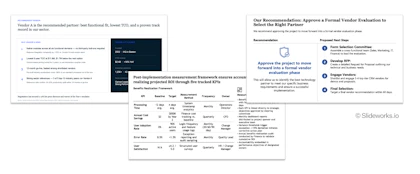
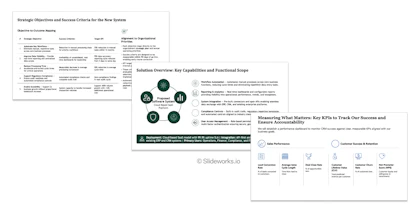
AI slide generators tend to overfill slides leading to the main takeaway being harder to see upfront.

AI slide generators tend to overfill slides leading to the main takeaway being harder to see upfront.

5. AI hallucinates numbers and conclusions:  

AI can fabricate statistics and state them so confidently that it can be both confusing and lead to time-consuming editing afterward. In particular, the anchoring-and-adjustment effect where you tend to iterate on an already stated phrase or fact instead of thinking about it from scratch leads to a lot of second-guessing on what to include in the slides and time wasted searching for data that isn’t important for the so-what or conclusion.  
 

6. AI writes fluff, not insight:  

AI copy is “notoriously wordy” and leans on filler like “in today’s fast-paced world,” sounding sophisticated while missing the specific constraints of the actual problem. Nobody loves lengthy texts like LLMs! Consulting writing is the inverse: precise, to the point, and specific to the situation. The skill of a great consultant is the editing down to as little text as possible that still gets the main takeaway or so-what across.
 

7. AI doesn’t pay attention to the small layout details that make a difference:   

And finally, AI slide generators (at least the ones I’ve tested) are great at an 80% version but miss the final crucial details that actually make it a consulting-grade slide. These are things like the amount of white space, the no-fly-zone, the balance between font sizes, which elements and conclusions are highlighted etc. All these small details may seem insignificant on their own, but they compound and make the overall result feel “off”.  
 

AI slide generators miss the last 20% formatting that makes each slide feel consulting-grade.

AI slide generators miss the last 20% formatting that makes each slide feel consulting-grade.

What it takes to create a great presentation

In my experience at McKinsey, there were six main steps to creating a stellar presentation that achieved the desired results:

Step 1: Define the audience and the outcome

Decide who the deck is for and what you want it to lead to; a go-decision, a green light, a shared view of the current situation, a budget approval. Everything downstream serves this.
 

Step 2: Structure the overall storyline

Build the section-level structure to fit the audience type and geared to achieve the outcome you defined. This is the skeleton the whole deck hangs on.
 

Step 3: Flesh out the storyline with draft slides

Sketch the individual slides within each section, including a first take on action titles and a rough sense of what data each slide will need or where to find it.
 

Step 4: Fill in each slide with content and data

Build each slide, insert the data, write the text, and iterate and analyze as you go. This step is usually the largest time sink in the whole process.
 

Step 5: Edit ruthlessly

Cut anything that does not move the story forward. Check that every action title fits the overall structure, and remove slides that repeat a message. This is one of the most overlooked skills of a good consultant.
 

Step 6: Check the small things

Spacing, alignment, font sizes, consistent icons, spelling, missing footnotes. They seem minor, but together they create the impression that you are detail-oriented and have left no stone unturned.

The six steps to creating a McKinsey-level slide deck

Where most AI tools break the workflow

Most AI presentation tools tackle steps 2-4 in one go. They ask you to prompt or upload data and then generate the whole structure, slides, and text in a single (sometimes long) sitting. Others focus narrowly on step 4, prompting to auto-fix a single slide, and/or on step 6 to check the final deck.

Collapsing steps 2 to 4 into one prompt is the heart of the problem for several reasons. First, it removes the crucial critical thinking where you actively construct a storyline and arguments from first principles and the exact situation you’re in. Second and related to critical thinking, most AI slide generators overfill and hallucinate content that forces you into an anchoring-and-adjustment pattern and makes it much harder to build a deck with only the absolute crucial data in it. Third, the tendency of AI slide generators to produce wordy, fluff-filled, cluttered slides with small details that are “off” means the clean-up time is surprisingly long and you end up spending almost as much time editing the slides as you would have building them from scratch.

The result is the generic, overfilled, loosely sequenced deck described earlier that looks good at first glance but turns out to be largely unusable when you’re actually sitting and building the final slides. Not because the tool is bad, but because it is pointed at the wrong part of the workflow.


How to use AI effectively at each step of presentation writing

With all that said it sounds like we are anti-AI. We are definitely not! Used in the right way, AI can be a magical assistant that speeds up the mechanical parts of deck-building without leaving its fingerprints on the thinking. Like having a second-year, super-speed analyst at your beck and call at any moment. Here is how we use it as consultants ourselves:

Step 1: Audience and outcome -> Do this yourself

A model cannot decide who you are presenting to or what you need from them. Answer two questions before you open any tool: who is the audience, and what should the deck get them to do. Use AI only to pressure-test your answer, not to supply it.

And remember the small human differences like considering if the audience can deliver that outcome / answer you need, what objections or concerns the audience might have, and what evidence can counter those objections and concerns.
 

Step 2: Storyline -> Brainstorm with AI, decide yourself

Ask a model to propose a few section-level structures for your audience and outcome, or come up with a couple of logical flows that will lead to your desired outcome (e.g., give me an SCR storyline and a pyramid principle storyline version of “x”). Treat the output as options or a first draft. Then keep going back to the overall storyline and prune, shuffle, and redo slides as you gather data. And always, always, always test it with select stakeholders or key people around you so you can get a feel for how it plays out in real life.
 

Step 3: Detailed storyline -> Let AI draft slide stubs and titles

AI is useful for proposing what each slide could show and drafting a first take on action titles. This gives you a working scaffold to react to, which is far faster than starting each slide from blank.
 

Step 4: Building slides -> This is where AI saves the most time

Step 4 is the biggest time sink, so it is where good AI assistance pays off most. The right help here is not “generate the whole deck” but “suggest a strong way to show this specific point” and “insert a first pass of the text and data so your job becomes adjusting, adding, and thinking.” Again, think of it as an analyst you can direct as you wish.

And remember to always find the data yourself and sanity check everything!
 

Step 5: Ruthless editing -> Use AI as a second reader

Have a model check whether each action title fits the overall storyline and flag where it does not. Ask it to surface slides that carry roughly the same message so you can merge or cut them. You make the final call on what goes; AI just makes the candidates visible.
 

Step 6: Hygiene checks -> Let AI do the sweep

This is the step AI handles most reliably. Use it to catch double spaces, inconsistent fonts and alignment, spelling and grammar, and missing footnotes or data. It is genuinely good at the detail pass that humans rush at the end.


The principle behind all six steps is to treat AI as an assistant and slide monkey that you direct and iterate with. It can assist across the entire workflow but don’t try to compress steps 2-4 into one single prompt and expect a full, finished, McKinsey-level deck. In other words, keep the thinking yourself and delegate the mechanics.


AI tools can support your slide workflow effectively if you use them correctly.

AI tools can support your slide workflow effectively if you use them correctly.

Conclusion

A consulting deck is precise, sourced, and built around a single outcome-driven storyline. An AI-generated deck tends toward generic content, overfilled slides, hallucinated statistics, and breaks in narrative because it predicts the average rather than reasoning toward a conclusion. 

The fix is not to avoid AI but to point it at the right steps: keep steps 1, 2, and 5 firmly in your own hands, and lean on AI for the slide-building and hygiene work in steps 3, 4, and 6. 

In other words, think of AI slide tools as first-year consultants: quick and willing to do the grunt work, but over-eager and missing key learned skills like storyline rigor, sanity checks, less-is-more and the ability to understand the audience properly. Put yourself in the position of senior person who can pressure-test and sanity check the output and AI tools can 5-10x your productivity without losing the quality.

Build consulting-grade deliverables faster

Most AI tools try to generate slides from scratch. Slideworks takes a different approach: instead of generating slides, you pull from a library of full-length, MBB-grade layouts built by ex-McKinsey, BCG, and Bain consultants so step 4, the biggest time sink, starts from best practice rather than a blank page.

Get your own library today
Consulting-style PowerPoint template slide examples

FAQs

Q: Can AI make a good consulting deck?

A: AI can draft a structure and first-pass text quickly, but it cannot supply the diagnosis, sourcing, and storyline a consulting deck requires, so it works best as an assistant rather than the author.


Q: What is the right way to use AI to make slides?

A: The right way is to keep the audience definition, storyline, and editing in your own hands, and use AI for drafting slide stubs and action titles, suggesting layouts, inserting first-pass text and data you verify, and running final hygiene checks.


Q: Why do AI-generated slides look generic?

A: AI-generated slides look generic because the model produces the most statistically likely content from its training data, which is by definition the average rather than a specific, differentiated point of view.


Q: How do you tell an AI-generated deck from a consulting deck?

A: An AI-generated deck typically has overfilled bullet slides, topic-label titles, unsourced statistics, and logic jumps between slides, while a consulting deck has single-message slides, full-sentence action titles, and a sourced figure on every data slide. In other words, a consulting deck feels crisper and tighter than an AI-generated deck.


Q: Which presentation steps should humans keep from AI?

A: Humans should keep three steps: defining the audience and outcome, structuring the storyline, considering the analysis and so-whats, and editing ruthlessly; AI is best used for drafting slides, suggesting layouts and titles, and running hygiene checks.